





'%3e%3cpath%20fill-rule='evenodd'%20clip-rule='evenodd'%20d='M33%2033H1V1H33V33Z'%20fill='white'/%3e%3cpath%20fill-rule='evenodd'%20clip-rule='evenodd'%20d='M33%2033H1V17H33V33Z'%20fill='%23DC143C'/%3e%3c/g%3e%3crect%20x='0.5'%20y='0.5'%20width='33'%20height='33'%20rx='16.5'%20stroke='black'%20stroke-opacity='0.1'/%3e%3cdefs%3e%3cclipPath%20id='clip0_37449_250459'%3e%3crect%20x='1'%20y='1'%20width='32'%20height='32'%20rx='16'%20fill='white'/%3e%3c/clipPath%3e%3c/defs%3e%3c/svg%3e)

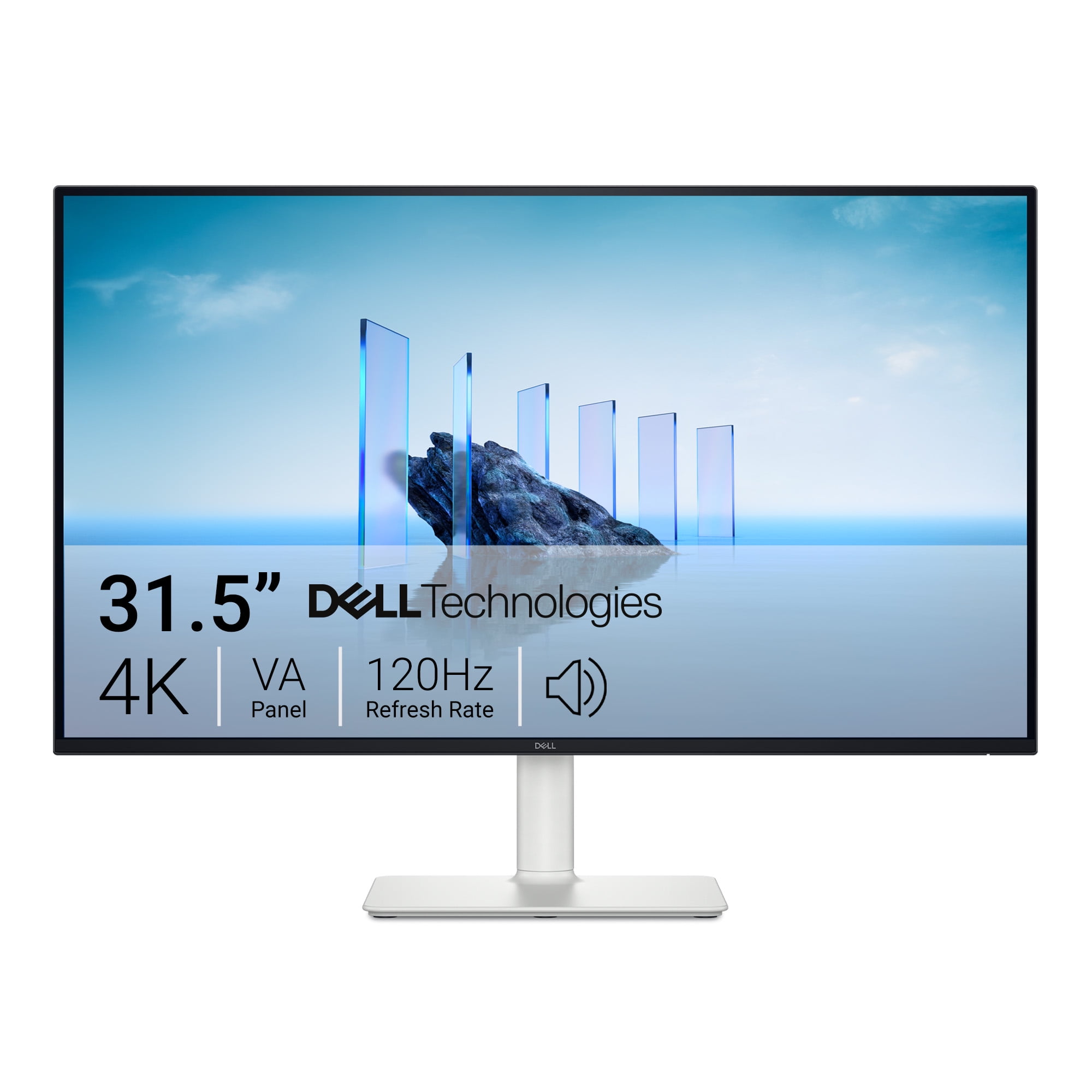

Streamlining your workspace starts with the Dell 32 Plus 4K Monitor, a 31.5-inch 4K VA panel that pairs wide color coverage with a 120Hz refresh rate for both productivity and entertainment. For creators and remote professionals, accurate color and an adjustable stand reduce friction during long sessions while keeping eye comfort front of mind.
⚡ At a Glance
- • Image Quality: 3840 x 2160 4K resolution, VA panel with 1.07 billion colors, 99% sRGB and 95% DCI-P3 coverage, HDR10
- • Great for: Content creators and hybrid workers who need accurate color and a roomy canvas for editing or spreadsheets
- • Trade-offs for: Tournament-level esports players; the 120Hz refresh and 4–8 ms gray-to-gray response cannot match 240Hz+ displays, which can reduce the smoothness and perceived responsiveness in ultra-fast competitive play
A 31.5-inch 4K VA monitor that balances rich color reproduction with smoother motion at up to 120Hz. Ergonomic adjustments and modern ports make it suitable for a mixed productivity and multimedia desk.
📋 Technical Details at a Glance
- Audio: 2 x 5W built-in speakers
- Screen diagonal: 80 cm (31.5 inch) (roughly the diagonal of a large poster board)
- Aspect ratio: 16:9
- Connectivity: 2 x HDMI (2.1), 1 x DisplayPort 1.4
- Contrast ratio: 3000:1
The Color and Contrast Advantage in Detail
The VA panel produces a 3000:1 contrast ratio and supports 1.07 billion colors with 99% sRGB and 95% DCI-P3 coverage, while HDR10 increases perceived dynamic range. Direct Impact: deeper blacks and a wider color gamut deliver more punch in HDR scenes and more reliable grading for sRGB and P3 workflows.
Accurate, saturated color makes photo and video edits easier to judge on-screen, and the high contrast keeps shadow detail readable in darker footage. For users who need dependable color without a separate reference monitor, these specs reduce guesswork.
Refining multitasking with the 31.5-inch 4K canvas
The 31.5-inch diagonal at 3840 x 2160 gives dense pixel real estate for side-by-side windows and timelines, while up to 120Hz and AMD FreeSync Premium minimize tearing during motion. User Scenario: dragging clips across a full-resolution timeline feels smoother, and spreadsheets that once required scaling now display more rows and columns at once.
A larger 4K workspace speeds common multi-window workflows and keeps motion during playback feeling fluid. At 8.77 kg, roughly the weight of a 24-pack of soda, the panel is substantial enough to sit steady on a desk or be moved for reconfiguration.
Why content creators need HDR10 and wide color
HDR10 support combined with 300 cd/m² peak brightness and broad DCI-P3 coverage lifts highlights and expands the color palette for mastered footage. If you prepare content for streaming or delivery, HDR10 capability preserves highlight detail that standard SDR displays often crush.
HDR-ready output makes it simpler to preview how footage will behave on HDR-capable platforms, helping to catch blown highlights and color shifts earlier in the workflow. The integrated color coverage ensures edits translate more predictably to client screens.
✨ The Verdict on Dell 32 Plus 4K Monitor Performance
- HDMI 2.1 & DisplayPort 1.4 – Enable 4K at high refresh and modern console compatibility
- Ergonomic Stand – 100 mm lift with tilt and swivel to align multiple screens comfortably
- Built-in 2 x 5W Speakers – Provide usable audio for calls and casual media without external speakers
- VA Panel with 3000:1 Contrast – Preserves deeper blacks and stronger perceived dynamic range in dark scenes
❓ Frequently Asked Questions
Q: What ports should I use for 4K at 120Hz?
A: Two HDMI 2.1 ports and one DisplayPort 1.4 are available for connecting consoles and PCs; Pro tip, use an HDMI 2.1 cable for next-gen consoles to access 4K at 120Hz and verify your GPU or console settings match the display timing.
Q: Are the built-in speakers sufficient for video calls?
A: The two 5W integrated speakers deliver clear dialog and workable volume for video calls, but they lack low-end depth for music or immersive sound; Pro tip, pair headphones or a desktop speaker for editing sessions that require accurate audio.
Q: How flexible is the stand for ergonomic setups?
A: Height adjusts by 100 mm with tilt and rotational adjustments listed in the ergonomic spec, allowing alignment with laptops or other monitors for a comfortable multi-screen layout; Pro tip, confirm VESA 100 x 100 compatibility if you plan to mount on a monitor arm for greater desk clearance.
🏆 Our Verdict
The Dell 32 Plus 4K Monitor suits content creators, hybrid workers, and anyone who needs a large, color-capable 4K canvas with smoother motion at up to 120Hz. The anti-glare finish and ergonomic stand keep long editing or meeting sessions comfortable while integrated speakers cover basic audio needs. The combination of HDR10, wide color coverage, and modern ports delivers strong long-term value for serious desktop users.
