'%3e%3cpath%20fill-rule='evenodd'%20clip-rule='evenodd'%20d='M33%2033H1V1H33V33Z'%20fill='white'/%3e%3cpath%20fill-rule='evenodd'%20clip-rule='evenodd'%20d='M33%2033H1V17H33V33Z'%20fill='%23DC143C'/%3e%3c/g%3e%3crect%20x='0.5'%20y='0.5'%20width='33'%20height='33'%20rx='16.5'%20stroke='black'%20stroke-opacity='0.1'/%3e%3cdefs%3e%3cclipPath%20id='clip0_37449_250459'%3e%3crect%20x='1'%20y='1'%20width='32'%20height='32'%20rx='16'%20fill='white'/%3e%3c/clipPath%3e%3c/defs%3e%3c/svg%3e)

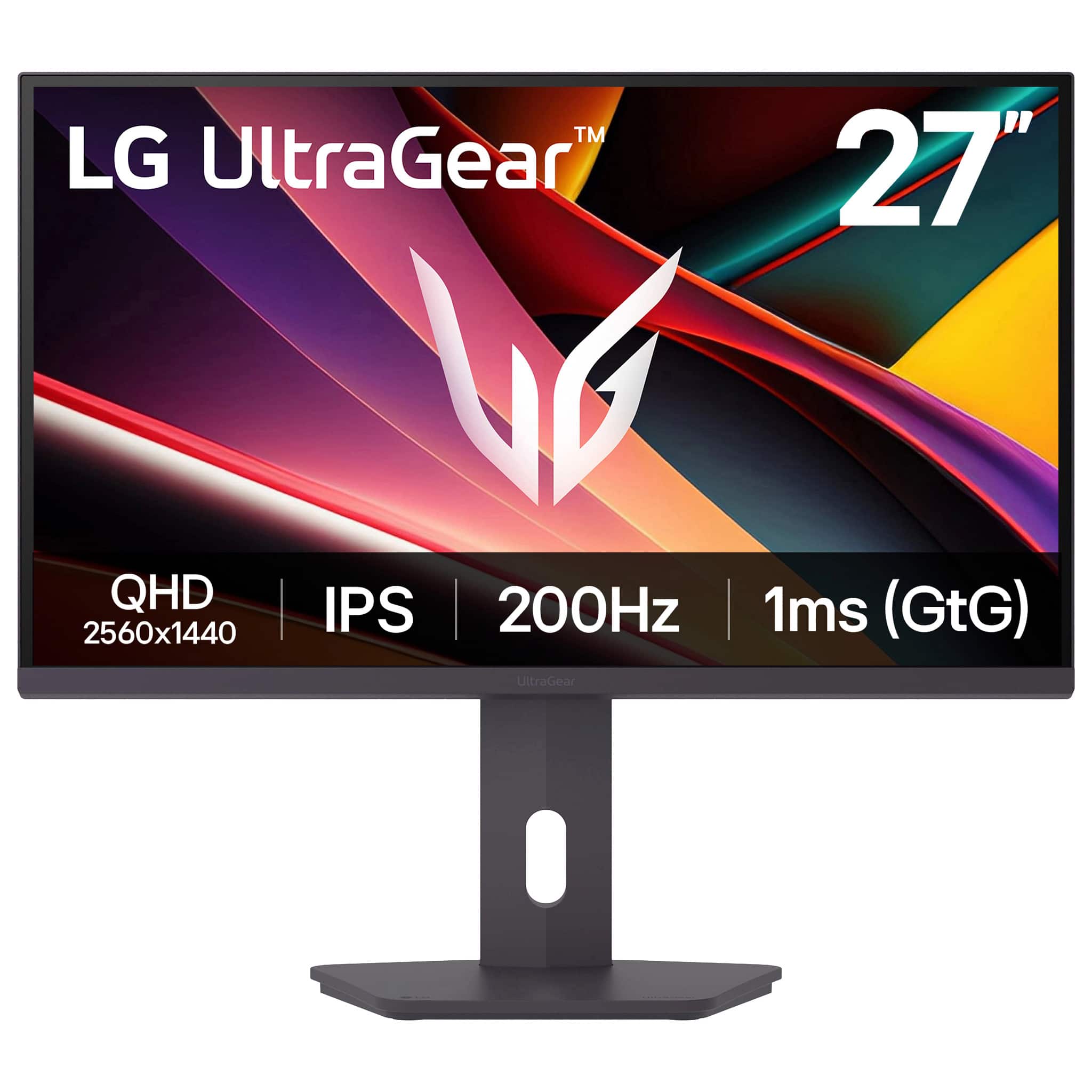

For those who value fluid motion above all else, LG UltraGear Gaming Monitor combines crisp QHD clarity with a 200Hz refresh and 1ms GtG response that eliminates visible blur. Competitive players and immersive single-player fans will notice smoother aim tracking and richer HDR contrast that pull scenes to life. Is it the right upgrade for a midrange PC or will top-tier competitors still prefer higher-refresh hardware?
⚡ At a Glance
- • Image Quality: Crisp QHD clarity with deep blacks and HDR brilliance for vivid in-game scenes
- • The pick for: PC gamers who prioritize high refresh rates and sharp 1440p visuals
- • Trade-offs for: Esports competitors chasing 360Hz setups; the 200Hz ceiling prevents matching ultra-high frame-rate rigs, costing microsecond responsiveness at the very top level
27-inch IPS QHD panel with 200Hz refresh, 1ms GtG response, HDR support and FreeSync Premium. LG Switch app enables screen-splitting and customizable layouts for multitasking.
📋 Technical Details at a Glance
- Screen size: 27 in
- Panel type: IPS
- Resolution: QHD (2560 x 1440)
- Refresh rate: 200 Hz
- Response time: 1 ms (GtG)
Consistent Motion: The 200Hz Role
A 200Hz refresh rate combined with a 1ms GtG response keeps fast-moving frames smooth and reduces motion blur during quick camera pans and firefights, preserving clarity for target tracking.
Smoother frame delivery translates to more confident aiming and less perceived input lag during high-FPS play. If you chase 360Hz competitive hardware, the 200Hz limit will leave you short of the microframe advantage sought by pro-level competitors.
Sharper Visuals – IPS QHD
The QHD (2560 x 1440) resolution and IPS panel keep textures detailed and colors stable across wide viewing angles, so HUD elements and map details remain legible at typical desk distances.
Greater pixel density delivers clearer in-game detail and more desktop real estate for overlays or chat windows, enhancing both play and streaming workflows. Color-critical creators may prefer a monitor with documented color calibration specs for studio work.
Streamlined Multitasking – LG Switch App
LG Switch app splits the screen and customizes layouts, allowing quick arrangement of game, chat, and monitoring windows without juggling multiple displays.
Organized layouts speed context switching between gameplay and streaming tools, keeping focus on performance rather than window management. If you regularly run overlays and capture software, preset layouts will speed setup between sessions.
✨ The Verdict on LG UltraGear Gaming Monitor Performance
- 200Hz Refresh Rate – Delivers consistently smoother motion for fast-paced titles
- 1ms GtG Response Time – Reduces ghosting and keeps rapid transitions crisp
- FreeSync Premium – Eliminates stutter and tearing with compatible GPUs
- LG Switch App – Enables quick screen splits and custom layout recall for multitasking
❓ Frequently Asked Questions
Q: What adaptive-sync technology is supported?
A: Includes FreeSync Premium to synchronize refresh rates with compatible GPUs and reduce tearing and stutter; pro-tip: keep graphics drivers current and enable variable refresh in your GPU control panel for the best in-game experience.
Q: Does the display support HDR content and does it help darker scenes?
A: HDR support brings stronger contrast and deeper blacks for compatible games and video, improving highlight detail and shadow separation; pro-tip: enable HDR in both your game and operating system settings and adjust brightness if colors appear oversaturated at first.
🏆 Our Verdict
The display suits PC gamers who want high-refresh 1440p performance without stepping up to ultra-high 360Hz hardware. Colors remain punchy with deep contrast and the IPS panel preserves image consistency across angles, making menus and overlays easy to read in everyday setups. At this performance level, the combination of fast refresh, low response, and useful software creates strong long-term value for regular high-refresh players.