





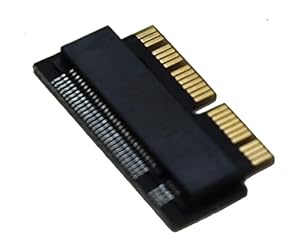
Storage upgrade accessory for older MacBooks, enabling M.2 PCIe NVMe SSDs to replace the original factory drive. Sintech NGFF M.2 nVME SSD Adapter Card gives owners a straightforward way to gain capacity and snappier system responsiveness. Will it work smoothly with 2013–2015 MacBooks or require a hibernation setting change?
⚡ At a Glance
- • Compatibility: Supports M.2 PCIe NVMe SSDs, including Kingston SHPM2280P2, Adata SX700, Toshiba XG3/4/5, Intel 600P and Samsung SM951/950/960 PRO/EVO, for 2013-2015 MacBook replacements
- • Best for: Owners of 2013–2015 MacBooks wanting larger, faster internal storage
- • Not ideal for: Mac models outside the 2013–2015 range or non-NVMe M.2 (SATA) drives
Allows M.2 PCIe NVMe SSDs to replace the factory SSD in 2013–2015 MacBooks. Some 2013–2014 Macs may need a hibernation setting change to work correctly.
Faster boot and app loads - with M.2 PCIe NVMe support
NVMe uses the PCIe interface to reduce protocol overhead and increase throughput compared with older SATA-based MacBook SSDs. The adapter matches the MacBook SSD connector to allow compatible NVMe drives to communicate over PCIe lanes.
Noticeably quicker system startup and application launches when using supported NVMe SSDs, making older MacBooks feel more responsive for everyday tasks.
More usable space - thanks to support for larger NVMe drives
Compatibility list includes popular 2280-length NVMe modules from Kingston, Samsung, Adata, Toshiba and Intel, allowing upgrades to higher capacities than the factory module.
Store larger photo libraries, project files and multiple virtual machines without relying on external drives, keeping workflows consolidated on the internal drive.
Straightforward hardware swap - with a form-fit replacement of original SSD
Designed to replace specific MacBook SSDs such as MZ-JPU128T/SD6PQ4M-128G and to accept standard M.2 NVMe modules physically and electrically. Installation involves removing the original module and securing the M.2 drive onto the adapter.
A simple upgrade process that many users complete without specialist tools, delivering a firm fit and renewed storage capability for ageing laptops.
✨ The 4 Key Reasons for Sintech NGFF M.2 nVME SSD Adapter Card
- Performance uplift, Noticeable reduction in boot and app load times on compatible MacBooks
- Higher capacity options, Enables larger NVMe SSDs for ample file and project storage
- Easy installation, Simple swap of the original SSD, securing a firm fit with common tools
- Extends usable life, Keeps 2013–2015 MacBooks productive by modernising internal storage
📋 Technical Details at a Glance
- Category: SSD adapter card
- Compatibility: M.2 PCIe NVMe SSDs
- Supported SSDs: Kingston SHPM2280P2 (240G/480G), Kingston KC1000, Adata SX700, Toshiba XG3/XG4/XG5, Intel 600P, Samsung SM951/950/960 PRO/EVO
- Replaces: SSD MZ-JPU128T / SD6PQ4M-128G
- Form factor: M.2 2280 support (as indicated by supported modules)
❓ Frequently Asked Questions
Q: Which MacBook models are supported?
A: Compatible with MacBooks from 2013 through 2015, designed to replace the factory SSD listed as MZ-JPU128T/SD6PQ4M-128G.
Q: Which M.2 SSDs will work?
A: Supports several M.2 PCIe NVMe modules including Kingston SHPM2280P2, KC1000, Adata SX700, Toshiba XG3/4/5, Intel 600P and Samsung SM951/950/960 PRO/EVO, as stated by the manufacturer.
Q: Are there any extra steps after installation?
A: Some 2013–2014 Macs may require a hibernation setting change to function correctly, follow the guidance supplied with the adapter for that fix.
🏆 Our Verdict
Perfect for 2013–2015 MacBook owners who want a practical storage and performance upgrade. Support for popular NVMe modules and a direct replacement design makes it an effective way to add capacity and speed. While upgrade costs vary, the adapter delivers long-term value by renewing an ageing laptop and avoiding immediate replacement.
