





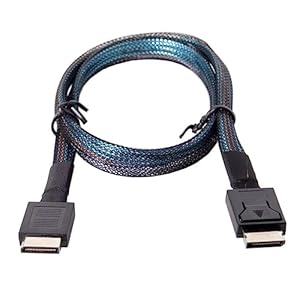
High-speed OCuLink cable for PCIe connections, designed to bring PCIe 4.0 bandwidth to external GPUs and SSD backplanes. chenyang OCuLink Cable helps gamers and workstation builders achieve more responsive systems and tidier external enclosures. Is the combination of active signalling and wide GPU compatibility right for your setup?
⚡ At a Glance
- • Data Transfer: Up to 64Gbps, transmits PCI Express 4.0 signals via OCuLink SFF-8611
- • Best for: Gamers and professionals linking external GPUs or NVMe backplanes to controllers
- • Not ideal for: Users who require consumer USB or Thunderbolt connectivity rather than OCuLink
Active OCuLink cable routes PCIe 4.0 signals over a 50cm active link for backplane-to-controller connections. Designed for external GPUs and SSDs, offering high-bandwidth external PCIe connectivity.
Maximum throughput for external storage and GPUs – thanks to PCIe 4.0 OCuLink signalling
Active cable transmits PCI Express 4.0 signals over SFF-8611 connectors and handles the protocol overhead while preserving lane integrity. The specification supports up to 64Gbps data transfer rates.
Higher transfer throughput shortens load and transfer times for NVMe arrays and improves external GPU data delivery during gaming and workstation tasks.
Stable connections for demanding builds – with active cable design and 4i configuration
On-board active circuitry maintains signal quality across the 50cm run, while the 4i configuration routes multiple PCIe lanes through SFF-8611 terminations. The active approach counters attenuation that passive cables struggle with.
Consistent, quiet operation suits long gaming sessions and sustained workstation workloads, as user reports note reliable behaviour and wide GPU compatibility.
Quicker, simpler installs for enclosures and backplanes – with SFF-8611 connectors
SFF-8611 form-factor connectors align with many backplanes and controllers so direct linking is possible without complex rewiring. User feedback also mentions included OCuLink and PCIe adapters that simplify setup.
Fast, tidy installations reduce build time for external GPU or NVMe bays and lower the chance of connection errors during assembly.
✨ The 4 Key Reasons for chenyang OCuLink Cable
- Active cable design - Maintains signal integrity over 50cm for reliable connections
- SFF-8611 connectors - Allow direct backplane to controller linking without extra modifications
- Included adapters simplify setup - User reports mention full OCuLink and PCIe adapters are supplied
- Compact 50cm length - Keeps external enclosures tidy while reducing cable clutter and latency
📋 Technical Details at a Glance
- Category: OCuLink PCIe cable
- Connectors: SFF-8611 to SFF-8611 (4i configuration)
- Protocol: PCI Express 4.0 via OCuLink
- Data transfer rate: Up to 64Gbps
- Cable type: Active OCuLink cable
❓ Frequently Asked Questions
Q: Can the cable handle PCIe 4.0 speeds?
A: Yes, the description states the cable transmits PCI Express 4.0 signals and supports data transfer rates up to 64Gbps.
Q: Is it suitable for external graphics cards?
A: Yes, the cable is described as appropriate for external graphics cards, and user feedback mentions improved gaming performance and wide GPU compatibility.
Q: What is the cable length and is it active?
A: Cable length is 50cm and the listing identifies it as an active OCuLink cable.
🏆 Our Verdict
Ideal for gamers and professionals who need a short, active OCuLink connection between backplanes and controllers. The combination of active signalling, SFF-8611 connectors and reported adapter support makes it particularly useful for external GPU and NVMe setups. Cost should be weighed against specific needs, but long-term value comes from reliable PCIe 4.0 connectivity and broad compatibility.
