





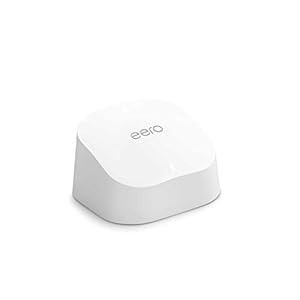
Mesh Wi-Fi extender that expands an existing eero network by up to 140 m² to reduce dead zones. eero 6 Mesh Wi-Fi Extender promises simple app setup and smarter routing for smoother streaming and gaming. Does coverage and compatibility justify adding extenders around the home?
⚡ At a Glance
- • Coverage: Adds up to 140 m² of Wi‑Fi 6 coverage, roughly a 6.6 metre radius
- • Best for: Homes with existing eero systems needing fewer dead zones and stable streaming
- • Not ideal for: Users without an existing eero network, since an eero network is required
Extends an existing eero mesh network using Wi‑Fi 6 to fill dead zones. Requires an existing eero network and is added via the eero app.
Fewer dead zones - thanks to Wi‑Fi 6 coverage expansion
Adds up to 140 m² of additional coverage, approximately a 6.6 metre radius, using Wi‑Fi 6 signalling. The extender joins the existing eero mesh so clients connect to the best node.
More consistent signal across rooms reduces drop-outs for streaming and video calls. Ideal for households struggling with patchy coverage in specific areas.
Fast, straightforward installation - with the eero app
The eero app provides step-by-step guidance to add an eero 6 extender and is backwards compatible with previous Wi‑Fi generations. Setup completes in minutes without complex manual configuration.
Quick deployment makes network expansion accessible for non-technical users. A fast setup path helps get streaming and gaming devices back online rapidly.
More reliable connections for streaming and gaming - with TrueMesh routing and updates
TrueMesh technology intelligently routes traffic across the mesh to reduce disconnections, while over-the-air updates deliver ongoing improvements and security fixes.
Smarter routing keeps high-bandwidth activities like 4K streaming and multiplayer gaming smoother. Regular updates help maintain performance and network security over time.
✨ The 4 Key Reasons for eero 6 Mesh Wi-Fi Extender
- App-guided setup - Guided setup completes in minutes via the eero app
- Wi‑Fi 6 performance - Better throughput for multiple devices and smoother 4K streaming
- TrueMesh routing - Intelligent traffic routing reduces drop-outs during gaming and calls
- Automatic software updates - Regular updates add features and maintain network security
📋 Technical Details at a Glance
- Category: Mesh Wi‑Fi extender
- Coverage: Up to 140 m² (approx 6.6 metre radius)
- Wi‑Fi standard: Wi‑Fi 6, backwards compatible with previous generations
- Compatibility: Requires an existing eero network
- Setup: eero app guided setup, set up in minutes
❓ Frequently Asked Questions
Q: Do eero 6 extenders work on their own?
A: No, eero 6 extenders require an existing eero network to operate and must be added to that mesh.
Q: How much extra coverage does an eero 6 extender add?
A: Each extender can add up to 140 m² of Wi‑Fi 6 coverage, roughly a 6.6 metre radius from the unit.
Q: Is setup difficult for non-technical users?
A: Setup is straightforward, the eero app walks through adding an eero 6 extender and supports backward compatibility with older Wi‑Fi generations.
🏆 Our Verdict
The eero 6 Mesh Wi‑Fi Extender suits households with an existing eero network that need to eliminate dead zones and stabilise high-bandwidth activities. Intelligent TrueMesh routing, Wi‑Fi 6 compatibility and app-guided setup are the key strengths. The combination of easy installation and ongoing updates makes network expansion a practical long-term investment.
